

There is a strange moment in the early demos of Perplexity Personal Computer where the whole thing stops feeling like a chatbot and starts feeling like a colleague who has been given the boring job no one else wanted. In one walkthrough, it checks email, looks for receipts and invoices from the last 30 days, turns them into a spreadsheet, scans a folder of photographed receipts, extracts dates, vendors, amounts, and categories, and builds a total plus a pie chart in a few minutes.
Not glamorous. Not sci-fi. Not a robot butler walking through your kitchen.
Just admin.
That is the point.
The most important early use case for the next personal computer might not be “build me an app” or “replace my assistant.” It might be: “Please turn the mess of my life into something I can act on.”
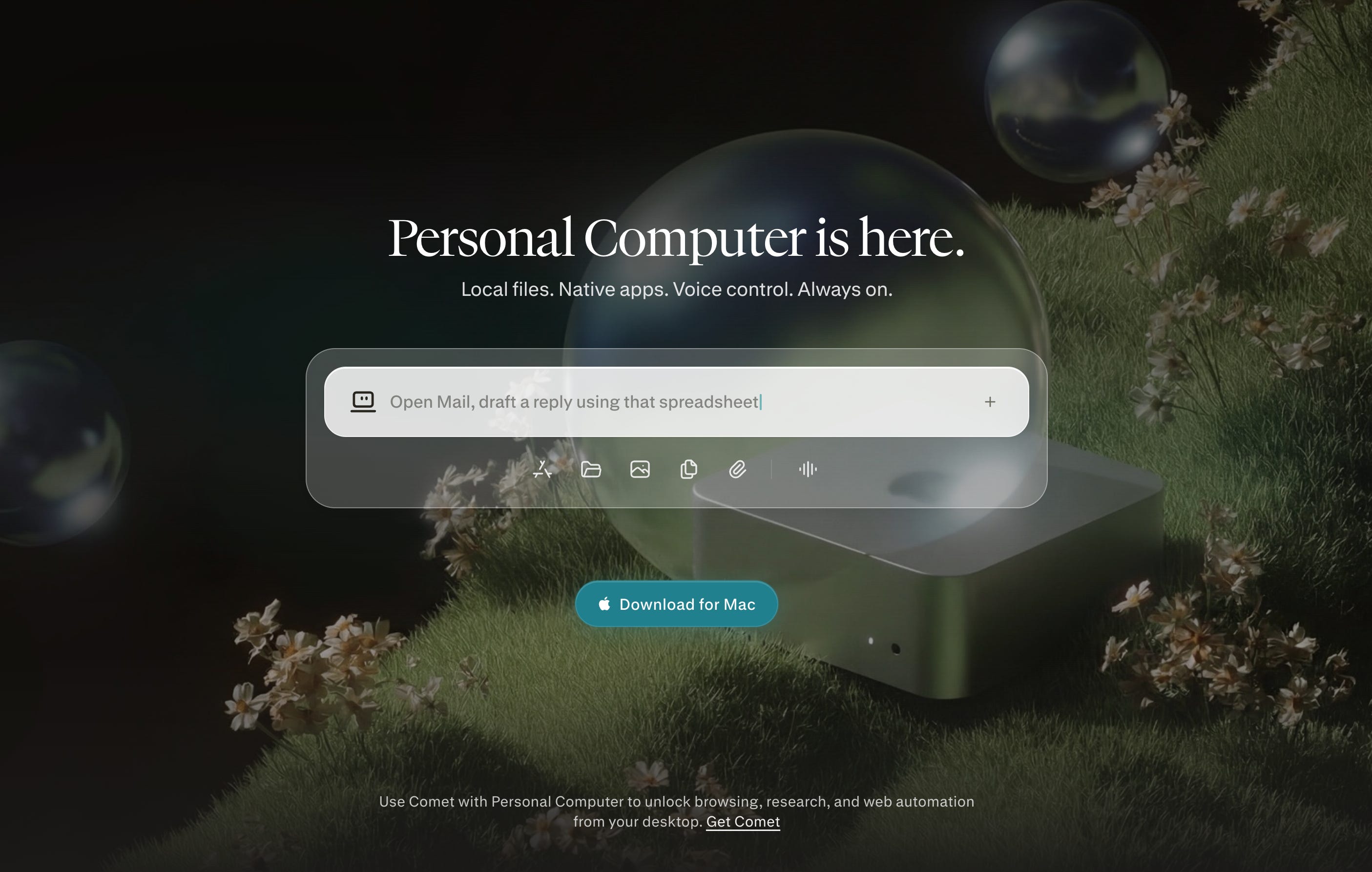
Perplexity announced Personal Computer as a Mac app around Computer that can access local files, native apps, voice, and always-on workflows, with the Mac mini recommended for 24/7 availability but not required. Aravind Srinivas framed it more dramatically: “A traditional operating system takes instructions. An AI operating system takes objectives.” A month later, he wrote that “computing became a tax on personal agency,” and positioned Personal Computer as “a Ferrari for your mind.”
That is a hell of a claim.
It is also the right category of claim. The question is whether the product has enough proof behind it.
The honest answer is: not yet.
But something real is happening.
The category error
The first mistake is thinking Personal Computer is a new app.
It is better understood as a new control layer.
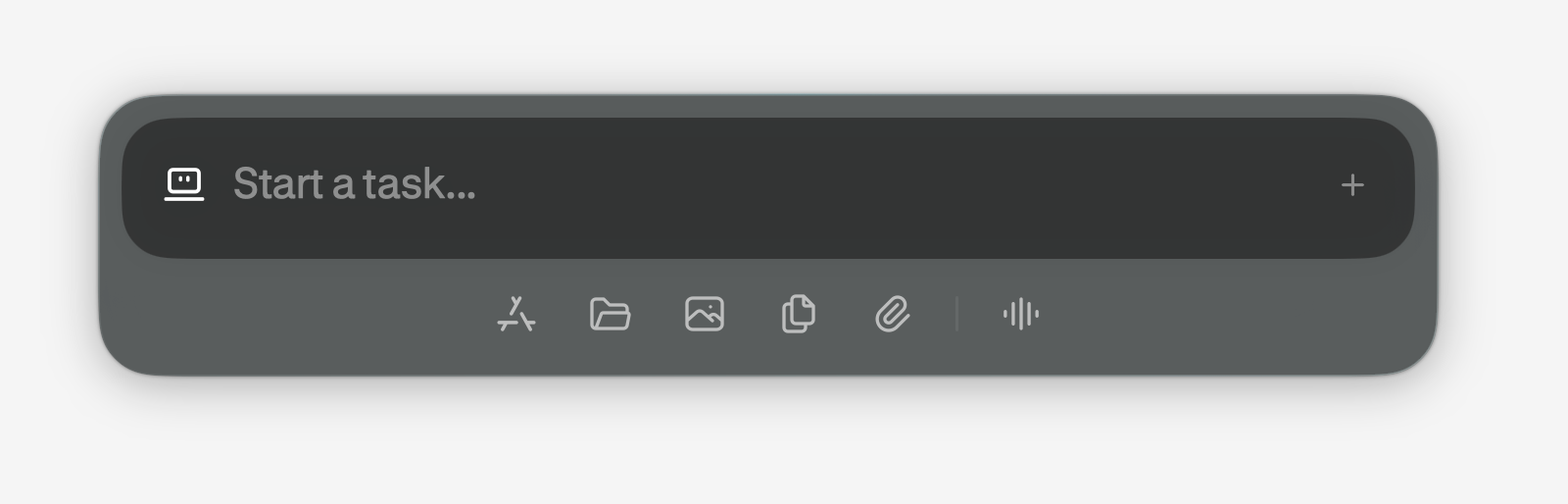
Perplexity’s own help center describes Personal Computer as a “native desktop app” that connects Computer with files, folders, browser sessions, and Mac apps, while still using Perplexity’s cloud Computer system for execution and orchestration. Computer itself is described as an “independent digital worker” that can use connectors, a browser, and a sandbox to complete tasks rather than merely answer questions. Perplexity’s earlier Computer launch post says the system orchestrates 19 models, decomposes complex work into subagents, and runs inside a sandbox with access to browser and filesystem tools.
That matters because the historical analog is not “another productivity app.”
The analog is the operating system.
Not in the narrow kernel sense. In the user sense. The layer that decides what work feels possible.
The personal computer was never really about the box on the desk. It was about moving agency closer to the person. Xerox PARC’s Alto introduced a graphical environment with windows, icons, mouse interaction, WYSIWYG editing, networking, and email, which the Computer History Museum describes as opening computing to non-specialists by letting people focus on the task rather than technical details. The Apple II, introduced publicly in 1977, helped start the personal computer boom, and VisiCalc in 1979 gave ordinary business users a reason to buy a computer for themselves. IBM’s PC arrived in 1981 with an open architecture, became the basis for a broad software ecosystem, and helped make “PC” a generic category rather than only an IBM product. The Macintosh took the graphical user interface into a mass-market commercial object, pairing the machine with MacWrite, MacPaint, and later desktop publishing through the LaserWriter.
Then the web moved personal computing from the desk to the network. Tim Berners-Lee invented the World Wide Web at CERN in 1989 to help scientists share information, and CERN released the web software into the public domain in 1993, letting it spread without patent or royalty barriers. Then the iPhone moved computing into the hand. Apple introduced the iPhone in 2007 as a phone, an iPod, and an internet communicator with a multi-touch interface, desktop-class web browsing, and visual voicemail.
Every generation did the same thing in a new disguise.
It compressed the distance between intent and action.
The agentic computer asks a more radical question: what happens when the distance collapses almost entirely?
Direct manipulation is ending
For 40 years, mainstream computing was built around direct manipulation.
Point. Click. Drag. Drop. Type. Swipe. Tap.
The genius of the desktop was that it gave invisible computation a physical metaphor. The genius of the web was that it gave the world a page metaphor. The genius of mobile was that it put those metaphors under your thumb.
Agents do not fit that lineage cleanly.
They do not give you a new object to manipulate. They give you a worker to direct.
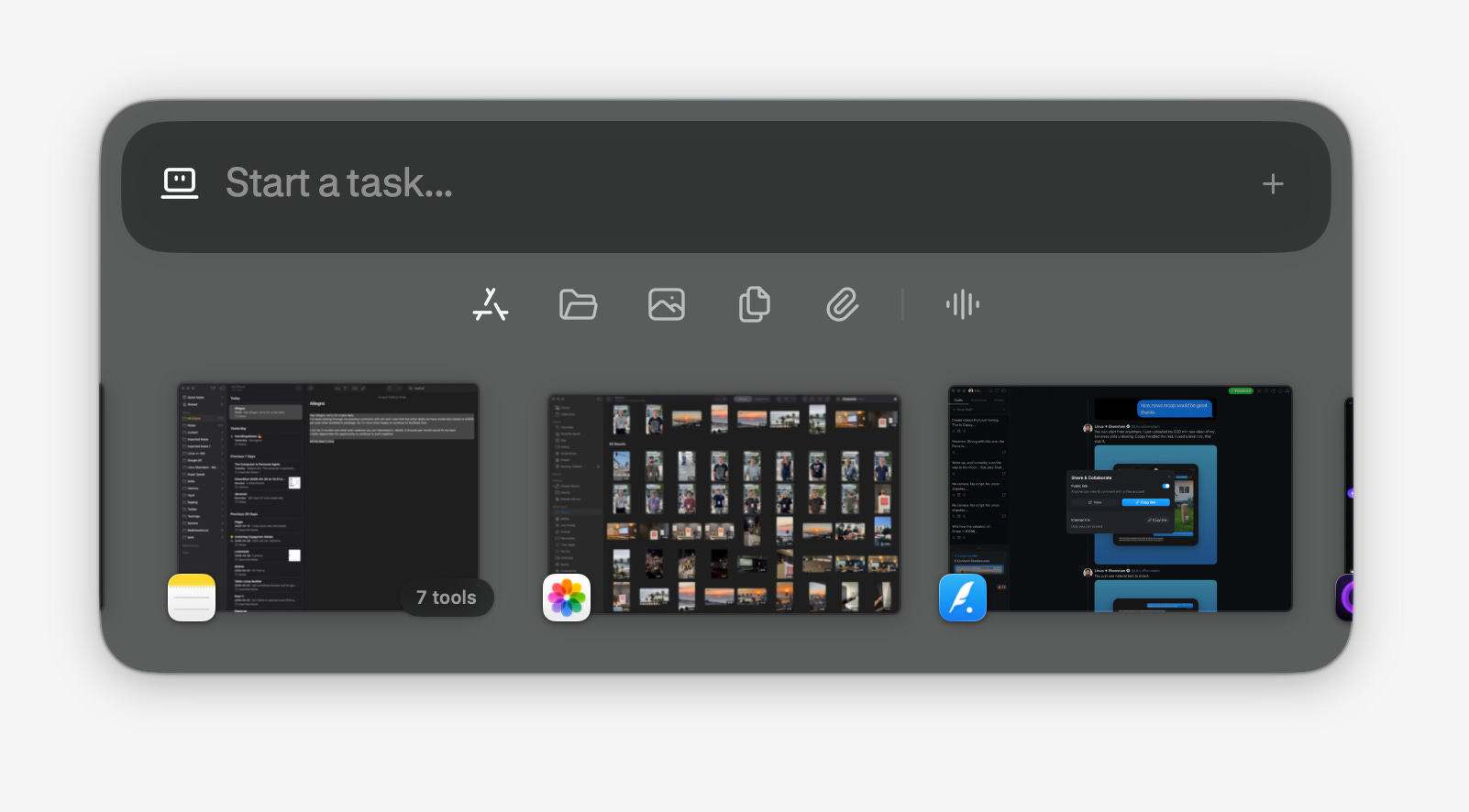
This is why “AI assistant” is probably the wrong metaphor. It makes the thing feel polite, optional, and small. A better framing is “operator layer”: a layer above applications that turns goals into sequences of tool use, then reports what happened.
Perplexity is explicit about this. In “The AI Is the Computer,” the company argues that the AI is no longer merely an app inside the computer, but the computer itself because the system can read, write, browse, code, schedule, and act across tools. In CNBC’s interview, Aravind described Computer as a multimodal orchestration system that combines browser, internet, filesystem, shell, and model routing into a cloud worker, and argued that models are becoming more specialized rather than fully commoditized.
That last point is underrated.
The AI race is often narrated as a model race. Bigger model. Better benchmark. New leaderboard.
Perplexity is making a different bet: the winning product is not one model, but the conductor.
The company’s launch post says Computer coordinates 19 models and dispatches subagents for different parts of a task. Builder.io’s early hands-on review called Perplexity Computer “the most polished managed AI agent” the reviewer had used, while also saying it was great for generalist assistant workflows and frustrating for specialized software development work.
That is the shape of the category.
It will not be one model replacing the OS. It will be orchestration replacing direct manipulation.

The signal-over-noise read:
Here is what is real.
Perplexity Personal Computer is Mac-only at launch, requires macOS 14 or later, works through a native Mac app, and lets a user trigger tasks from an iPhone while the Mac handles local execution. MacRumors reported that it is available to Perplexity Max subscribers, with Max priced at 200 dollars per month, and that it can be invoked on Mac with a double Command shortcut. The system includes a sandbox, on-device authorization, two-factor confirmation for remote control, and visible logs of actions and files, according to Perplexity’s help documentation.
Here is what is promising.
The architecture addresses a real limitation in cloud agents: they can browse the web, but they do not know your local life. Perplexity’s local bridge lets Computer work with files, apps, and browser sessions on the user’s Mac, which is the difference between “research a topic” and “turn my actual invoices into a report.” In the Teacher’s Tech walkthrough, the most compelling moments were not synthetic benchmarks, but everyday workflows: drafting an email after checking calendar context, generating a story file on the desktop, scanning receipts, extracting totals, and retrieving the result from a phone.
Here is what should be treated carefully.
Perplexity’s “Everything Is Computer” post says an internal study over 16,000 queries found 1.6 million dollars of value saved and 3.25 years of work saved in four weeks. That number should be presented as Perplexity’s internal claim, not independent evidence, because the company has not published a full third-party audit or methodology in the post. TechCrunch reported in February that Perplexity canceled its planned live Computer demo hours before an event after discovering flaws, which is exactly the kind of caveat that should remain attached to early agentic systems.
Here is what is not true.
This is not “fully on-device AI.” Perplexity says the Mac app connects local files and apps to Computer, while Computer itself uses Perplexity’s cloud infrastructure and sandboxed execution environment. That does not make it bad. It makes the trust model different from a local-first system.
The correct framing is not privacy maximalist.
It is managed autonomy.
OpenClaw is the shadow in the room
Perplexity did not launch into a vacuum.
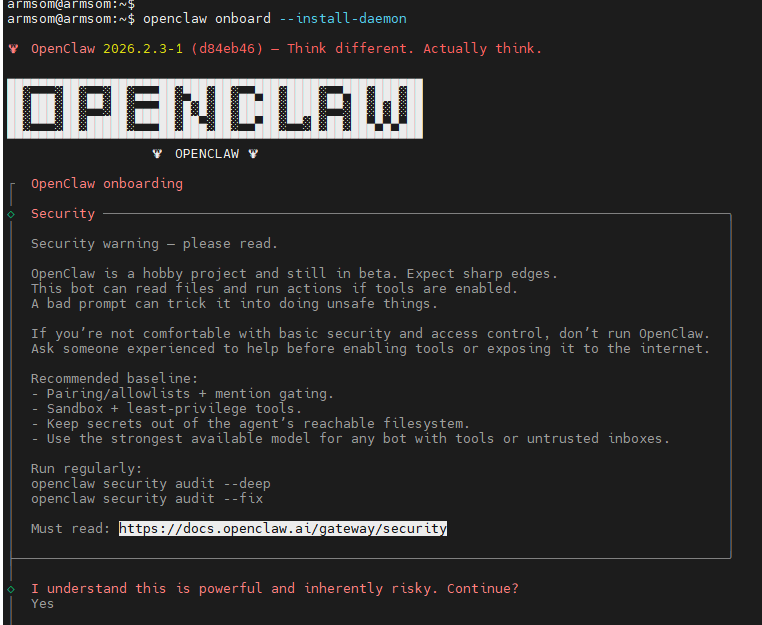
The buzz around local agentic systems has been shaped heavily by OpenClaw, an open-source gateway that runs on a user’s machine or server and connects messaging apps like WhatsApp, Telegram, Discord, Slack, Teams, Google Chat, and Twitch to coding agents and tool-using workflows. OpenClaw’s docs present it as a self-hosted gateway with sessions, memory, skills, multi-agent routing, tool execution, and persistent context files, with the user keeping infrastructure, keys, and data under their own control. TechRadar describes OpenClaw as a gateway that can execute shell commands, browse, read and write files, call APIs, and use local memory, while also warning that it is not secure by default and needs careful setup.
OpenClaw is what happens when the hacker version of the future arrives first.
It is powerful, local, flexible, and slightly terrifying.
Turing College describes OpenClaw as a system that can live on a dedicated computer such as a Mac mini or Raspberry Pi, access files and apps, handle email and calendar tasks, organize files, and automate recurring workflows, but it also recommends not running it on a main computer at first and warns about prompt injection and permissions risk. TechRadar notes risks around broad local permissions, skill marketplace supply chain exposure, and prompt injection, and recommends restricting network exposure, protecting API keys, and vetting skills carefully.
This is the strategic opening for Perplexity.
OpenClaw says: your machine, your rules.
Perplexity says: your machine, but with guardrails.
That is not a small distinction. It is the product.
The trust stack is the new OS
The old OS managed memory, processes, files, permissions, windows, and input.
The agentic OS manages trust.
Who can read this file? Who can send this email? Who can spend money? Who can delete? Who can remember? Who can act while the user is asleep?
Perplexity’s Personal Computer documentation emphasizes sandboxing, approval for sensitive actions, two-factor authorization for remote control, and action logs that show what happened and where generated files were saved. Aravind’s launch framing also emphasizes approval, audit trails, kill switch controls, and the idea of a dedicated Mac mini acting as a personal digital worker. These choices are not feature polish. They are the minimum viable institutions for delegated computing.
Security researchers are already treating agentic systems as their own risk category. OWASP’s Agentic AI security work lists risks such as agent authorization and control hijacking, prompt injection, over-permissive tool access, memory poisoning, and misaligned behavior in agentic applications. Anthropic’s Computer Use documentation similarly warns that browser use and computer control remain vulnerable to prompt injection and jailbreaks, and recommends sandboxing, minimal privileges, allowlisted internet access, and human confirmation for high-risk actions.
The future of personal computing will not be decided only by who has the smartest model.
It will be decided by who earns the right to take the next click.
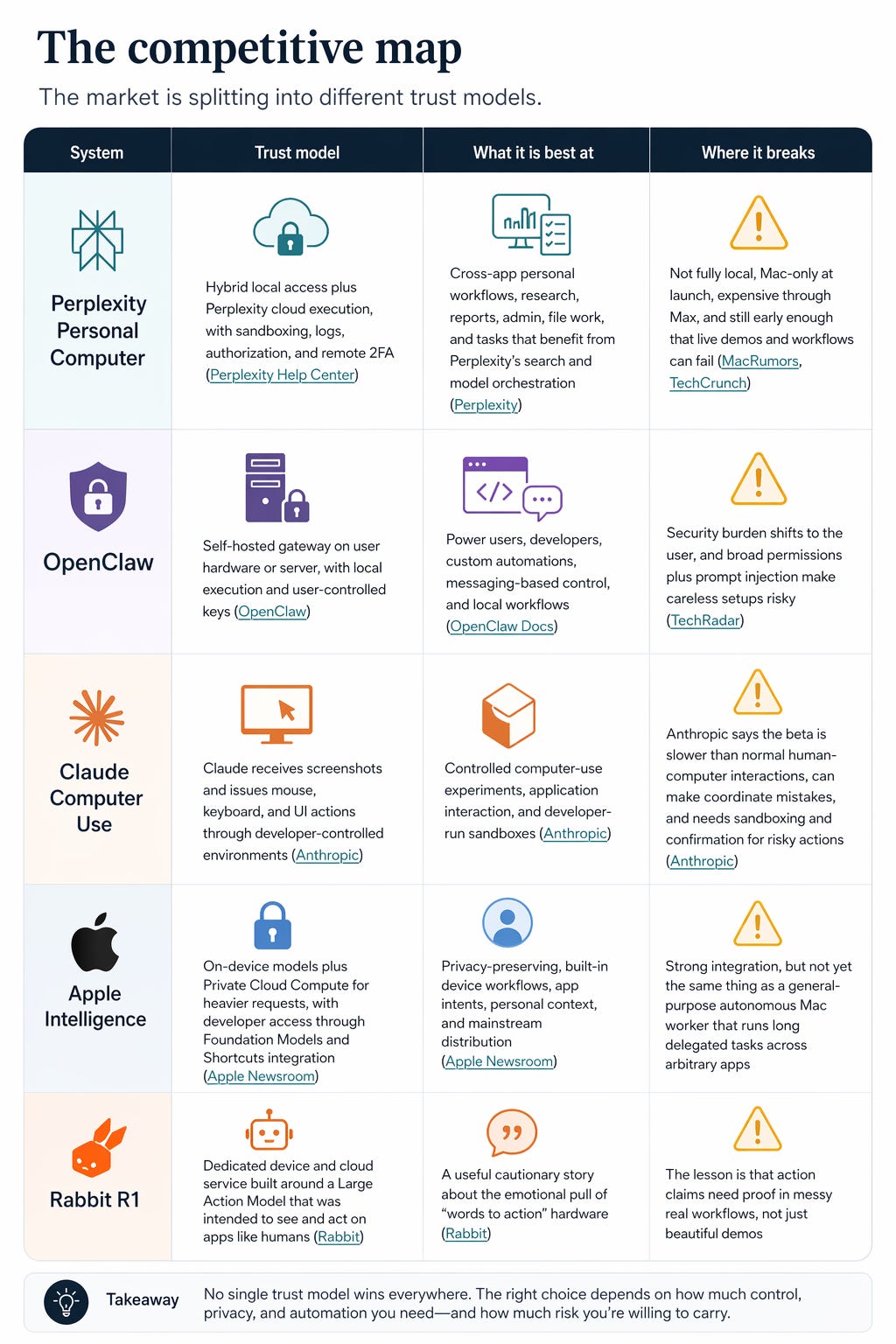
The comparison reveals something important.
Perplexity is not the most local option. OpenClaw is more local by default, and Apple’s on-device foundation models plus Private Cloud Compute are structurally more privacy-native for supported Apple workflows.
Perplexity is not the lowest-cost option. OpenClaw is open source, Apple Intelligence comes with supported Apple hardware, and Personal Computer is tied to Perplexity Max at launch according to MacRumors.
Perplexity’s advantage is that it is trying to package the scary part.
The scary part is not intelligence.
The scary part is delegation.
The buzz: excitement with a raised eyebrow
The internet reaction is exactly what a serious category birth should look like: half awe, half suspicion.
Hacker News commenters focused on the credibility of the internal labor-savings numbers, the privacy implications of agentic access, and whether the product is meaningfully different from OpenClaw-style local agents. Reddit users in the Perplexity community reacted with enthusiasm about the capability but also frustration that the launch is Mac-only and questions about when Windows support will arrive. Earlier community discussion around the March announcement framed it as a potentially more secure and less fiddly version of OpenClaw for people who want the thing to “simply function” without extensive setup.
That skepticism is healthy.
Every great computing transition begins with demos that outrun reliability. Xerox had Alto years before the GUI went mainstream, and the Computer History Museum notes that the Alto itself was not a commercial mass-market machine even though it contained ideas that reshaped computing. The Macintosh commercialized the GUI, but even that took time to become obvious as an industry-wide interface shift. The web began as a CERN information-sharing system before it became the substrate of global software distribution.
The pattern is not “demo, then dominance.”
The pattern is “demo, disbelief, killer use case, platform shift.”
Personal Computer has the demo.
It does not yet have the killer use case.
But the candidates are starting to appear.

The killer app might be life admin
The natural instinct of the AI industry is to chase glamorous workflows.
Build a startup. Replace a team. Ship an app overnight. Run a hedge fund from your kitchen. Become a one-person unicorn by Friday.
Maybe…
But the first mass-market killer app for personal agents may be less cinematic: the household back office.
VisiCalc mattered because it made the Apple II economically obvious to people who lived in spreadsheets before they owned computers. The web mattered because it made distributed information feel navigable, after CERN released the technology into public use without patent or royalty barriers. The iPhone mattered because it fused phone, media, browser, maps, mail, and touch into one object people carried all day.
The everyday agentic killer app will probably be the first workflow that makes normal people say: “I would pay to never do that again.”
That workflow is likely not one task.
It is the connective tissue between tasks.
The family CFO
Receipts in email. Paper receipts in photos. Subscriptions hiding in bank statements. Warranties in PDFs. School payments in portals. Expense reimbursements in forms. Returns scattered across inboxes.
The Teacher’s Tech receipt workflow is the clearest proof-of-shape: Personal Computer searched email, found receipts and invoices, created a spreadsheet, scanned receipt photos, extracted structured fields, and generated totals and charts. That does not replace accounting software. It replaces the Saturday afternoon where a person has to become the API between their own life and a spreadsheet.
This is where the personal computer becomes personal again.
Not because it knows you. Because it works on your mess.
The paperwork ninja
The real world is full of processes designed by institutions and suffered by individuals: insurance claims, school forms, visa documents, medical reimbursements, landlord paperwork, tax prep, warranty claims, travel disruptions, and small claims admin.
Perplexity Computer’s cloud version is designed to use connectors, browser sessions, and a sandbox to complete multi-step work rather than simply respond in chat. Personal Computer adds local files and Mac apps to that substrate, which means the system can work with the actual PDFs, screenshots, email threads, and folders where paperwork lives. The killer workflow is not “fill out a form.” The killer workflow is “read the 17 things this process requires, find them, prepare the packet, and show me exactly what still needs my signature.”
That is not AGI. That is mercy.
The small-business system
Small businesses do not lack tools. They drown in them.
Bookings live in one place. Reviews in another. Suppliers in email. Invoices in PDFs. Payroll in a portal. Social performance in dashboards. Customer complaints in DMs. Campaign data in spreadsheets.
Perplexity’s enterprise Computer pitch emphasizes long-running workflows, connectors, APIs, finance operations, research, and task automation across business systems. In the Marketing Against the Grain walkthrough, Perplexity Computer was used to reverse-engineer book-cover patterns with parallel subagents, audit HubSpot product pages, and build dashboards around external data.
The durable use case is not “AI makes a dashboard.”
It is “AI notices the dashboard, the inbox, and the calendar disagree.”
The local librarian
Every personal computer eventually becomes an archaeological site.
Downloads. Screenshots. PDFs. Meeting notes. Voice memos. Tax documents. Old decks. Photos of whiteboards. Files named “final_final_v3.”
Personal Computer can access local files and native apps, and Perplexity’s help center says the system creates files in a secure sandbox while surfacing visible action logs to the user. That enables a class of workflows that are less about generating new content and more about maintaining a living personal archive: organize files, extract commitments, summarize folders, surface forgotten documents, and turn “I know I saved it somewhere” into a query.
The surprise is that AI may make files matter again.
For a decade, the cloud trained users to care less about the filesystem. Agentic computers may reverse that by making local context actionable.
The remote household worker
The most interesting part of Personal Computer may be the least cinematic: remote triggering from an iPhone while a Mac continues to execute locally. Aravind’s LinkedIn announcement framed the Mac mini setup as a way to have a digital worker available 24/7 and accessible from a phone.
That changes the mental model. The computer is no longer only the thing in front of you. It becomes a home base you can dispatch from anywhere.
This is closer to “household infrastructure” than “chatbot.”
The Samsung signal
There is another thread worth watching: distribution.
Samsung confirmed a Galaxy S26 integration that gives Perplexity system-level presence, including a wake-word experience and deep integration across Samsung apps such as Notes, Clock, Gallery, Reminder, and Calendar, according to 9to5Google. A later 9to5Google report said Samsung was switching the wake phrase from “Hey Plex” to “Hey Perplexity.”
This matters because the personal computer has always been partly a distribution story.
IBM’s PC became an ecosystem because software vendors could build for a standard architecture, and IBM says more than 750 software packages were available within a year. The web exploded because CERN released the protocol into public use and removed tollbooths from the medium. The iPhone became a platform because the device was always with the user and eventually became an app economy.
Personal Computer is Mac-only at launch, which limits its reach. But Perplexity’s Samsung integration points to a different ambition: become the agentic layer that lives across devices, not only inside one desktop app.
The Mac mini is the body. The phone is the remote. The cloud is the brain.
The open question is who owns the soul?
What not to believe yet
The category is early enough that strong opinions should come with footnotes.
Do not believe “this replaces the OS” yet. Personal Computer still depends on macOS, local app permissions, Perplexity cloud infrastructure, and the user’s willingness to supervise high-risk actions.
Do not believe “it is private because it runs on your Mac.” Perplexity’s own product architecture uses a Mac app as the local bridge while Computer runs through Perplexity’s cloud and sandboxed execution systems.
Do not believe “OpenClaw is unsafe, Perplexity is safe.” OpenClaw has a user-controlled local model and local execution story, while Perplexity has a managed cloud trust story, and those are different trade-offs rather than a simple good-versus-bad comparison.
Do not believe “the internal ROI number proves the category.” Perplexity’s 1.6 million dollar savings figure is an internal claim, and it should be treated as a company-provided benchmark until independently validated.
Do not believe “the failure cases mean it is fake.” TechCrunch’s canceled demo report, Builder.io’s workflow failures, and community skepticism are evidence that the product is early, not evidence that the category is imaginary.
The highest-integrity position is uncomfortable:
Personal Computer is both overclaimed and underrated.

The actual line
Steve Jobs once called the computer “a bicycle for our minds”.
That metaphor worked because the personal computer amplified human motion. You still pedaled. The machine made you faster.
The agentic computer proposes a different bargain.
You do not pedal every inch.
You say where you want to go, then inspect the route.
That sounds subtle until you feel it. The shift from doing to delegating changes the emotional texture of computing. It turns software from a set of instruments into a managed relationship. It makes trust, memory, permissions, reversibility, and proof more important than icons.
The next personal computer will not be defined by screen size, chip speed, or whether it sits under a desk.
It will be defined by what you are willing to let it do without you.
That is why Perplexity Personal Computer is interesting even if the first version is imperfect. The product is not simply trying to answer better. It is trying to act near your real life, across your files, your apps, your browser, and your phone.
The old personal computer gave individuals direct control over computation.
The new personal computer gives individuals supervised control over delegation.
That is the line. Everything else is UI.
One workflow to try
Do not start with “run my life.”
Start with one painful, bounded, repeatable workflow.
visit perplexity personal computer, download and run:
Try: “Look through the last 60 days of email for receipts and invoices, extract date, vendor, amount, category, and payment method, create a spreadsheet, flag anything above 100 dollars, and give me a short note on what changed from last month.”
That workflow is boring enough to verify and valuable enough to repeat. It resembles the receipt and invoice workflows demonstrated in early Personal Computer walkthroughs, and it creates a clean test of extraction, file handling, summarization, and auditability.
→ If it works, make it weekly.
→ If it fails, the failure will teach more than a polished launch video.
That is how new personal computers become real.
Not by replacing everything.
By becoming trusted with one annoying thing at a time.
Linus Ekenstam
April 24th 2026
Perplexity Computer is great and almost ready for production level use. It's still slow and at times clumsy. It can stun you sometimes or leave you watching credits get eaten while it surfs the web like it's 1999.
But killing /shortcuts in Pro is just weird. Comet Assistant Shortcuts worked like nothing else. Now it's AI road kill. It makes no sense and completely detracts from the importance of the Computing rollout as now it's a mad scramble to salvage processes that worked a charm 3 days ago.
The interesting shift isn't from software to agents.
It's from managing tasks to managing delegation, which makes me wonder whether the next productivity advantage comes from having better tools or from knowing what should never be delegated in the first place.
I sent you DM. Check it out and reach out